AI Video
Editing.

MOHAMED MASLOOH  ·  27 SEPTEMBER 2026
The request

I filmed my lecture.
I want it to grab attention.

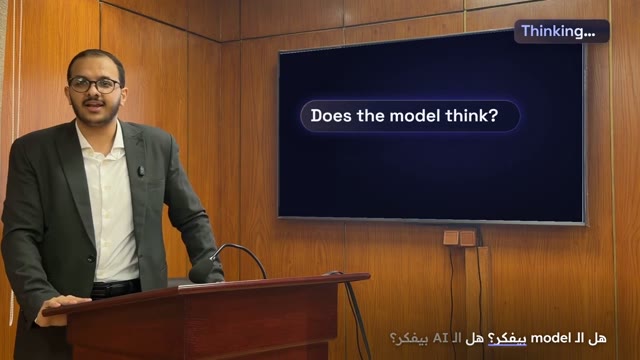
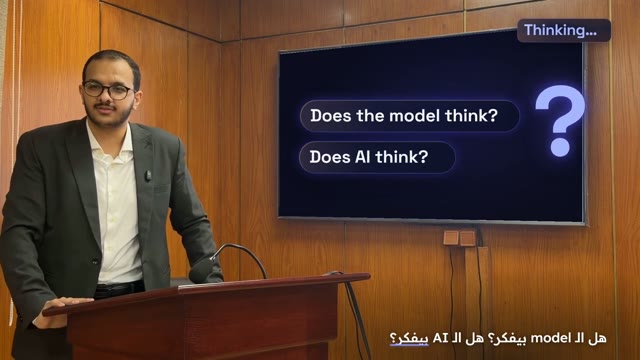
My lecture, as filmed
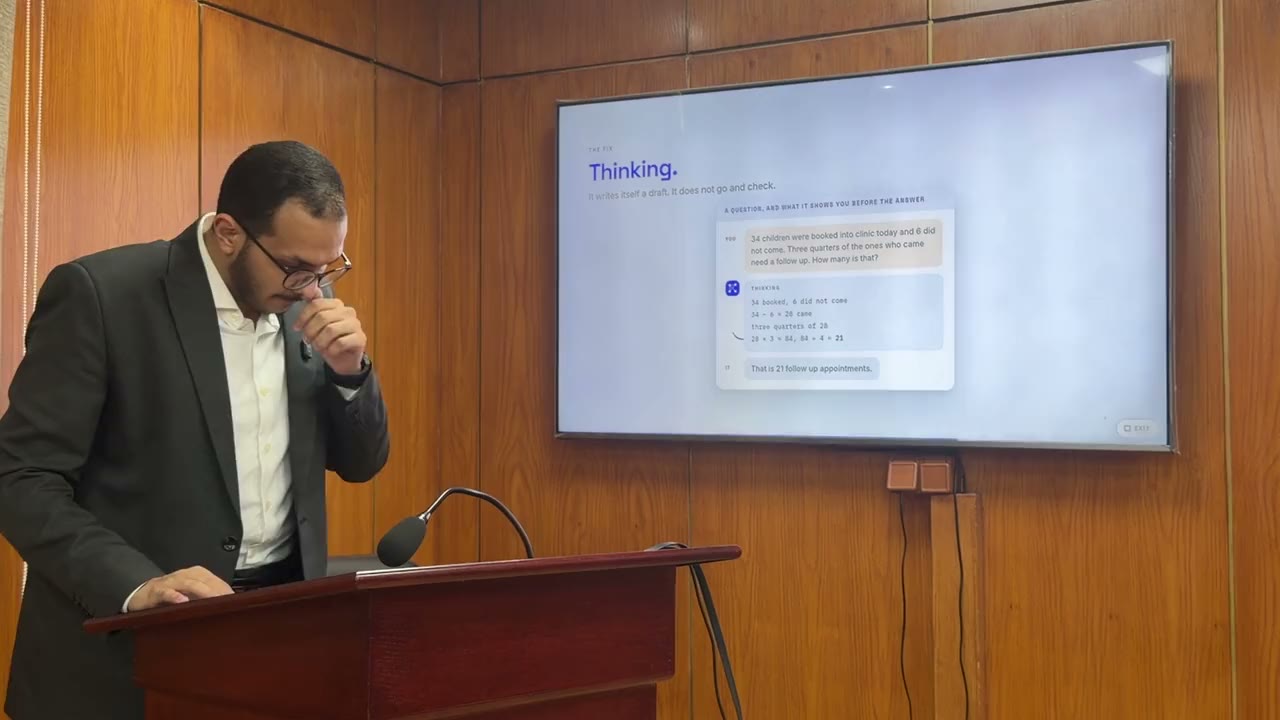
New chat
Make my lecture clip grab attention. Show what I’m explaining, right next to me.
Reply…
My lecture on AI, filmed in 2026: 27 seconds, uncut. The request sums up the briefs given to the AI tool.
The result

It did exactly
what I asked.

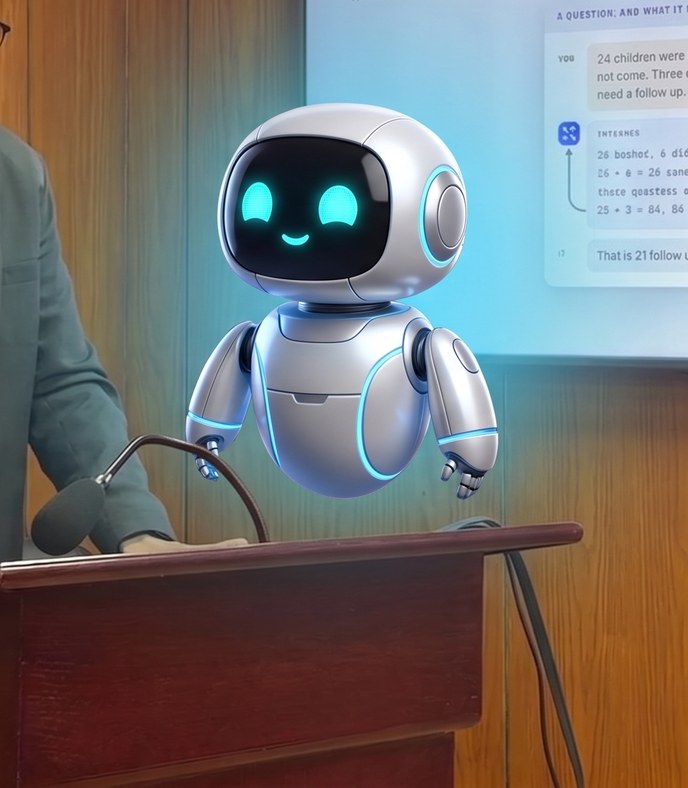
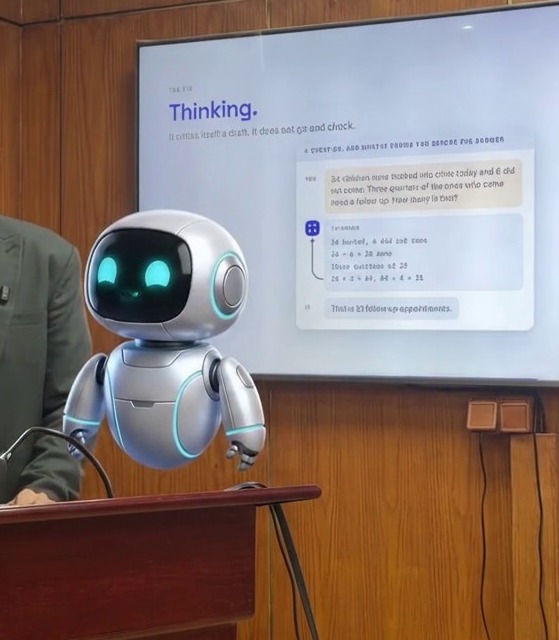
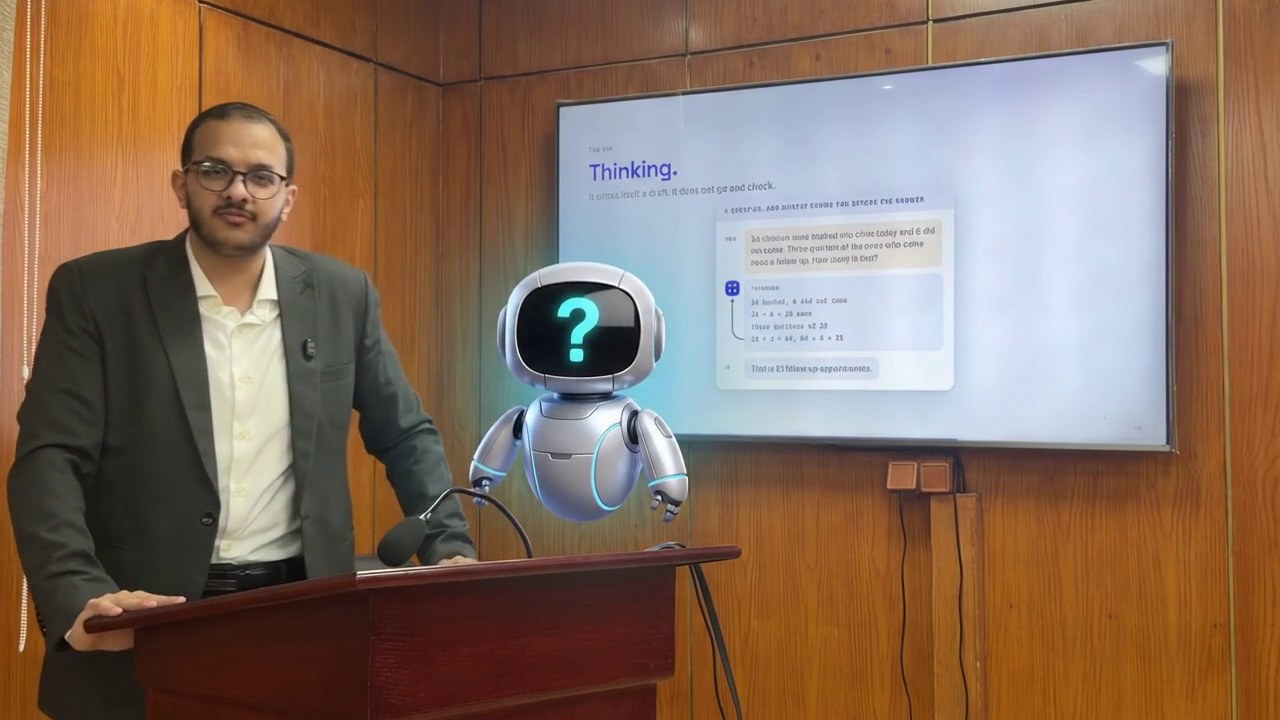
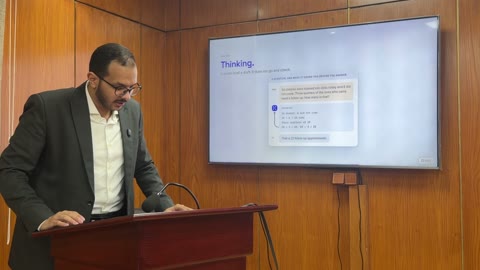
My lecture, now a film
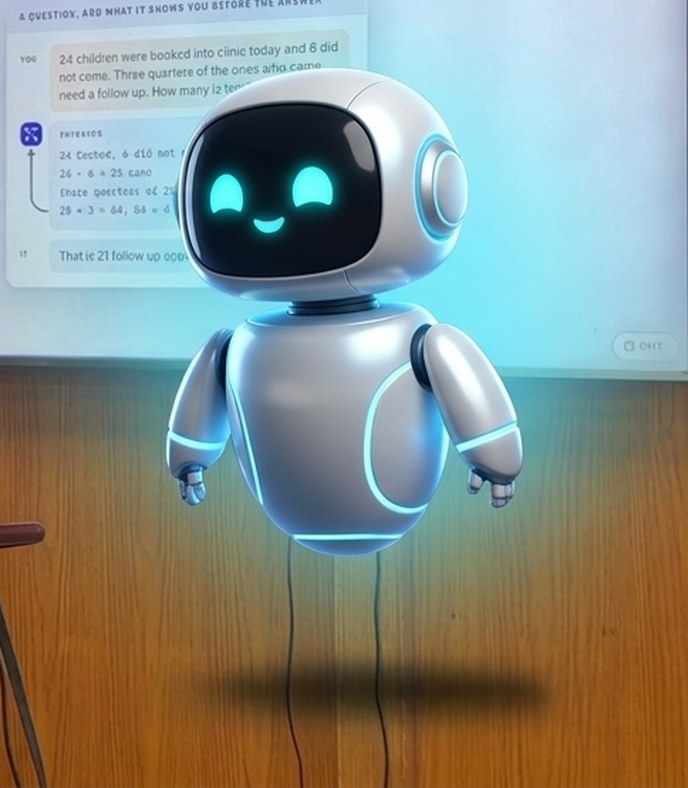
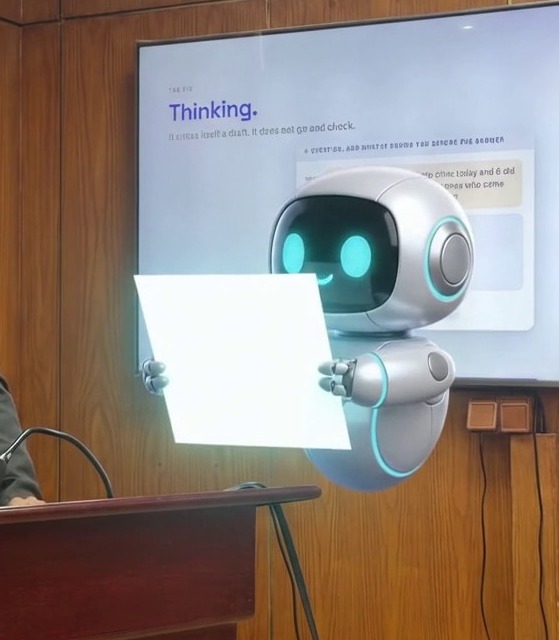
A cartoon robot, beside me
Google Flow, Gemini Omni 1.1 Flash, 25 Sep 2026: my clip and one Nano Banana 2 style frame in, two 8-second runs joined at 8 s, my own voice. Nothing retouched.
The result, frame by frame

Look closer.
It makes things up.

Is this an AI error,
or a human error?

The human

or

The AI

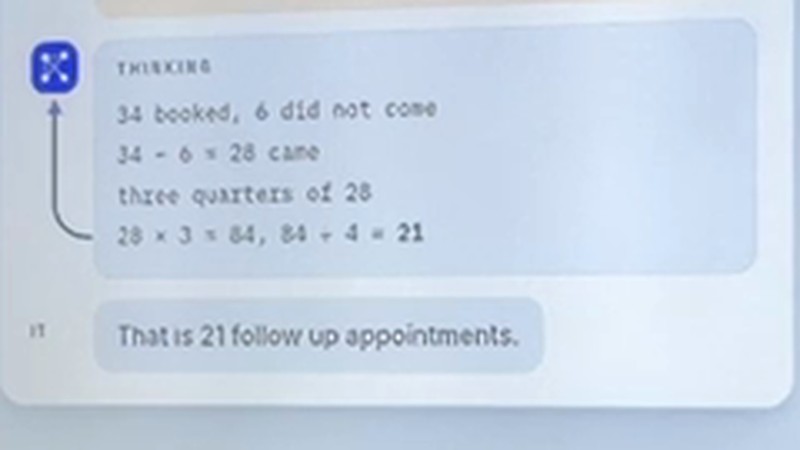
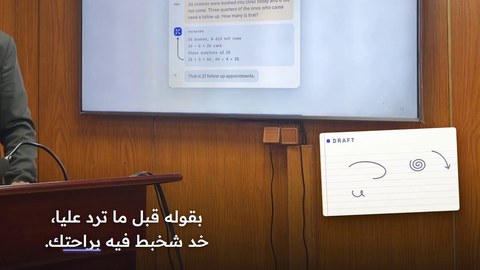
My slide, as filmed
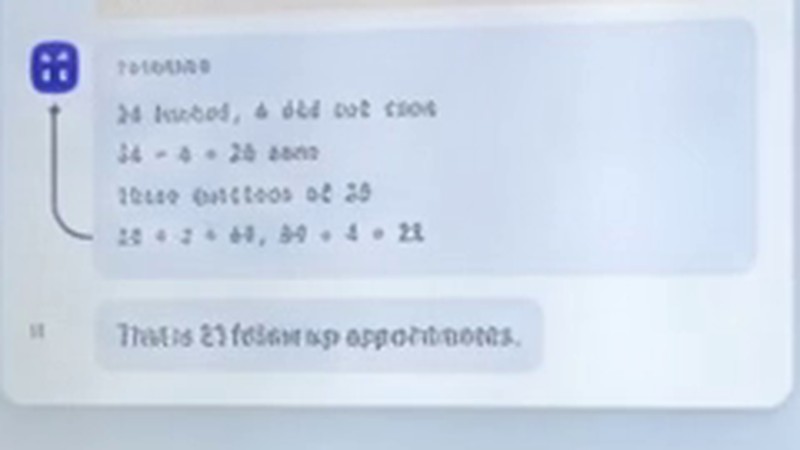
The same numbers, scrambled
The robot clip you just saw, Google Flow, 25 Sep 2026: my slide at 0.8 s beside the same crop of the AI’s version. Crops enlarged; nothing retouched.
What’s out there

All of this gets
called AI.

LLMswrite text
Video modelsmake or edit video
Platformsmany models, one login
Toolscut, place, transcribe, voice
50+ modelsimagescamera presets
ChatGPT
Claude
Gemini
Omni
Veo
Seedance
Kling
MiniMax H3
Wan
Runway
Luma
Grok Imagine
Higgsfield
Remotion
DaVinci Resolve
transcriber
ElevenLabs
built in plugged in

LLM + tools = an agent.

In a month, this list will be different.
Each maker’s own pages, checked 25 Sep 2026. Gemini app: Omni video, Nano Banana 2 images. ChatGPT: images; Sora closed in 2026. Higgsfield: 50+ models incl. Kling, Seedance, Veo, Grok; not Omni. DaVinci Resolve Studio 21.1: MCP for AI assistants.
Where AI touches video editing

So we look at methods,
not names.

Generate draws every pixel
Transform redraws your footage RunwayLuma
Assist helps you edit
Operate edits for you
Code writes the video Remotion
inside your editor  ·  not today
the model draws every pixelyour own pixels, placed
Examples in each field, from each maker’s own pages, September 2026.
Chapter one

Generate

Generate  ·  how it works

It doesn’t find a picture.
It dreams one.
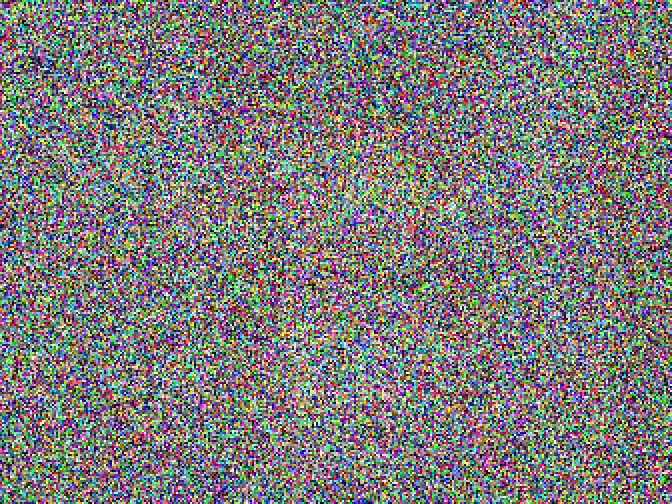
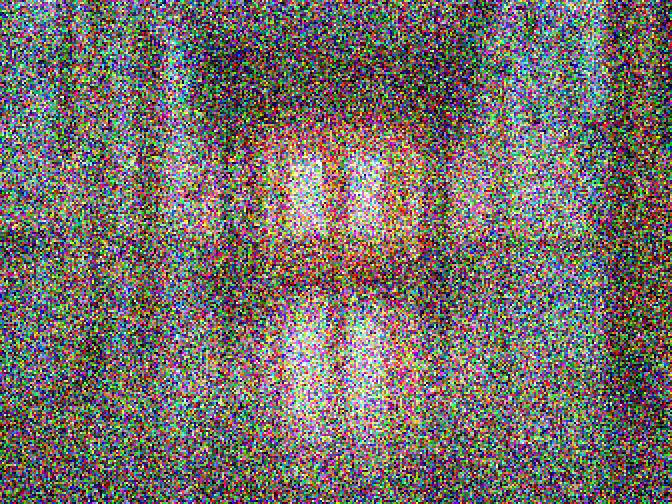
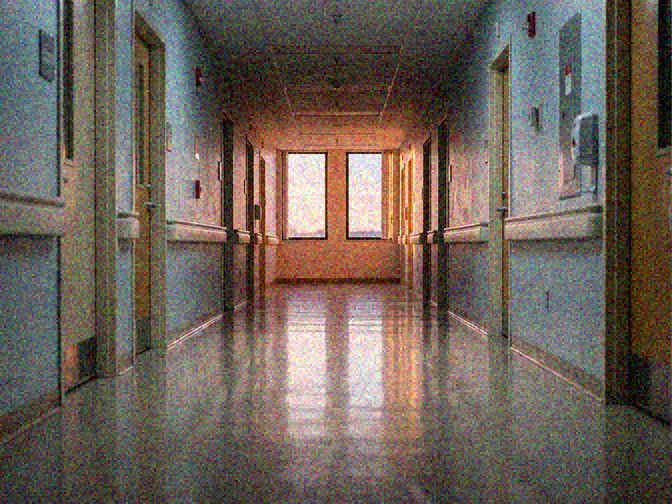
Noise
Half-formed
A frame
Drawn in code: noise added to one of our generated frames.
Generate  ·  what it does well

Here is what you can expect from it.

No camera, no crew
A mood in minutes
A shot you can’t film
Made for this lecture in the Gemini app (Create video), 24 and 25 Sep 2026: one prompt each, as they came out. The heartbeat is the clip’s own sound.
Generate  ·  from our own tries

What not to
ask it for.
not real words
filmed
AI
try 1
try 2 face body
12.5 s
14.5 s ~1.25x
  1. 01Exact words and numbers.

    They come out garbled.

  2. 02The same character twice.

    Each try draws a new one.

  3. 03Exact size and place.

    I asked for the same size and place.
    It grew.

All from our own tries in Google Flow and the Gemini app, 24 and 25 Sep 2026: a first try’s notes, the numbers on my slide, the same robot request sent twice, and the robot that grew (12.5 and 14.5 s). Plain crops.

Back to the map

So we look at methods,
not names.

Generate draws every pixel
Transform redraws your footage RunwayLuma
Assist helps you edit
Operate edits for you
Code writes the video Remotion
inside your editor  ·  not today
the model draws every pixelyour own pixels, placed
Examples in each field, from each maker’s own pages, September 2026.
Chapter two

Transform

Transform  ·  how it works

Your video goes in.
New pixels come out.
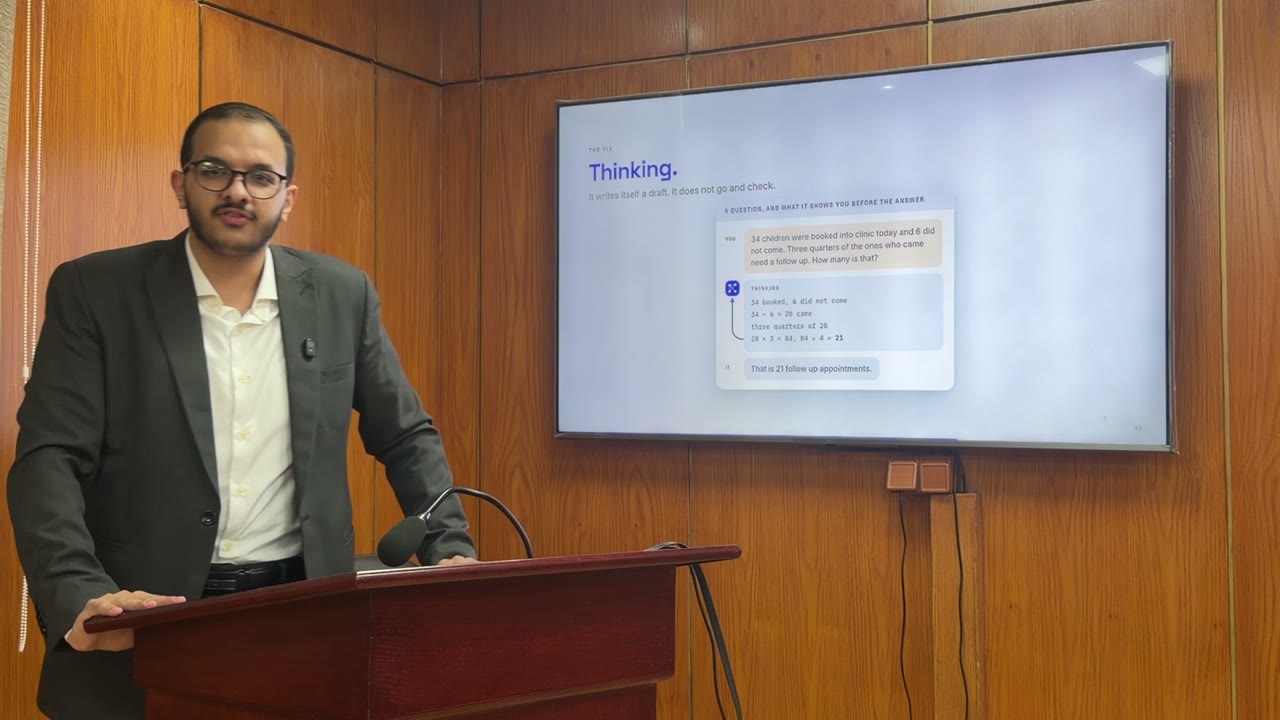
Yours
The model
every pixel, redrawn
The same moment, 4.3 s into my clip, before and after. Google Flow, Gemini Omni 1.1 Flash, 25 Sep 2026.
Transform  ·  what it does well

What it is
good for.

The original
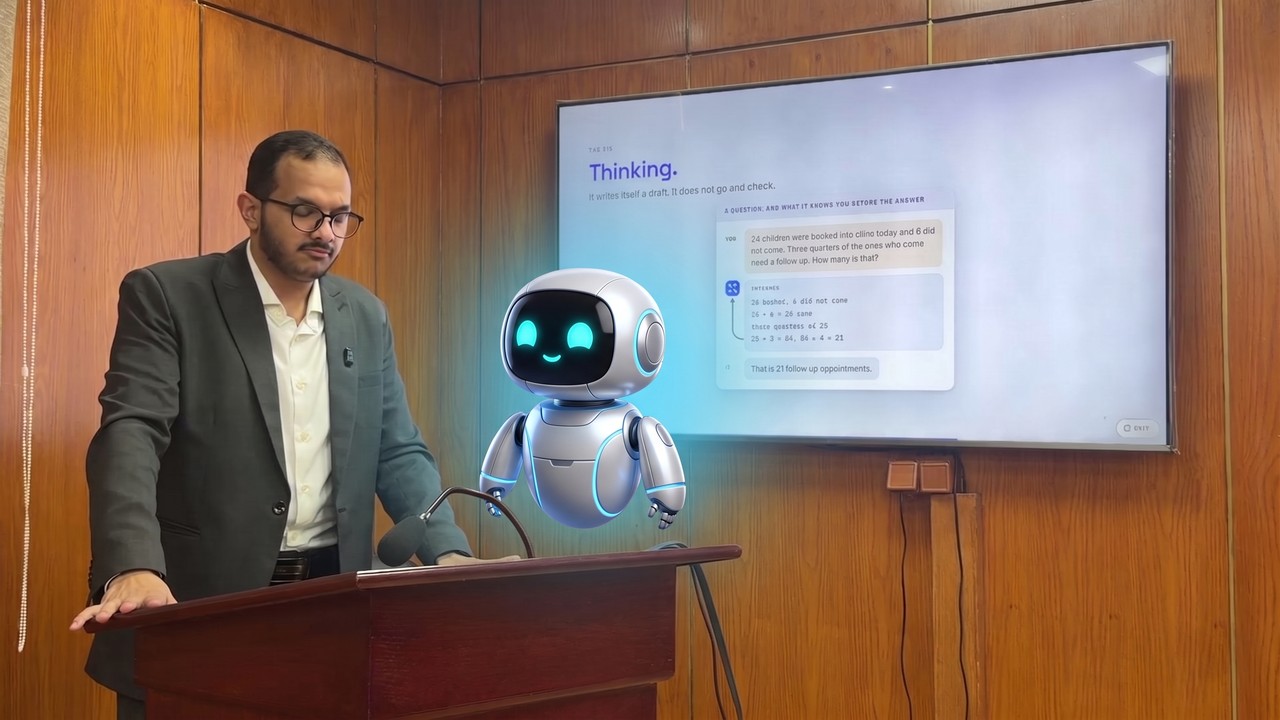
An idea, in seconds
A shot you can’t film
The idea: one style frame from my clip, Nano Banana 2 in the Gemini app, 0 credits. The shot: Gemini Omni 1.1 Flash in Google Flow. Both 25 Sep 2026.

Back to the map

So we look at methods,
not names.

Generate draws every pixel
Transform redraws your footage RunwayLuma
Assist helps you edit
Operate edits for you
Code writes the video Remotion
inside your editor  ·  not today
the model draws every pixelyour own pixels, placed
Examples in each field, from each maker’s own pages, September 2026.
Chapter three

Code

Code  ·  what it means

Code can draw
every frame.

the code
<h1>AI Video Editing</h1> <button>Watch the talk</button>
for every frame: // 0, 1, 2 … draw my video draw the words on it
render(489 frames) // 30 a second: 16.3 s
cut(10.10, 21.52) // the question from the room
index.html
AI Video EditingWatch the talk
frame 60
frame 72
frame 138
frame 162

30 frames a second = a video.

the question from the room
0 s27.4 s16.0 s

In the end, it all writes code.

LectureMotion, written by an AI agent with Remotion, 25 Sep 2026: its rendered frames (30 a second, 489 in all) and my clip’s real cut. The web page is an example.
Code  ·  how an AI edits a video

Then it cuts where
I stopped talking.

Code  ·  how an AI edits a video

First it listens.
Then every word gets a time.

1Transcribe it right 2A time on every word 3Decide what can go 4Cut at the silences +then graphics
Transcript27.4 s of raw footageanother voice, tagged by the model itselfTranscribed by Gemini 3.1 Flash-Lite

27.4 s16.0 s11.4 s of the room, gone
My lecture audio, 27.4 s, as filmed. Transcript: Gemini 3.1 Flash-Lite, 24 Sep 2026; it wrote the [other: …] tags itself. Each word is shown at its time from forced alignment on my PC. Graphics: LectureMotion (Remotion), 25 Sep 2026.
Code  ·  inside the file

Every part of the code
is one layer of the frame.

LectureMotion.tsx  ·  simplified
1My video, the base
<OffthreadVideo src="lecture.mp4" />
2Graphics on the TV, each on one of my words
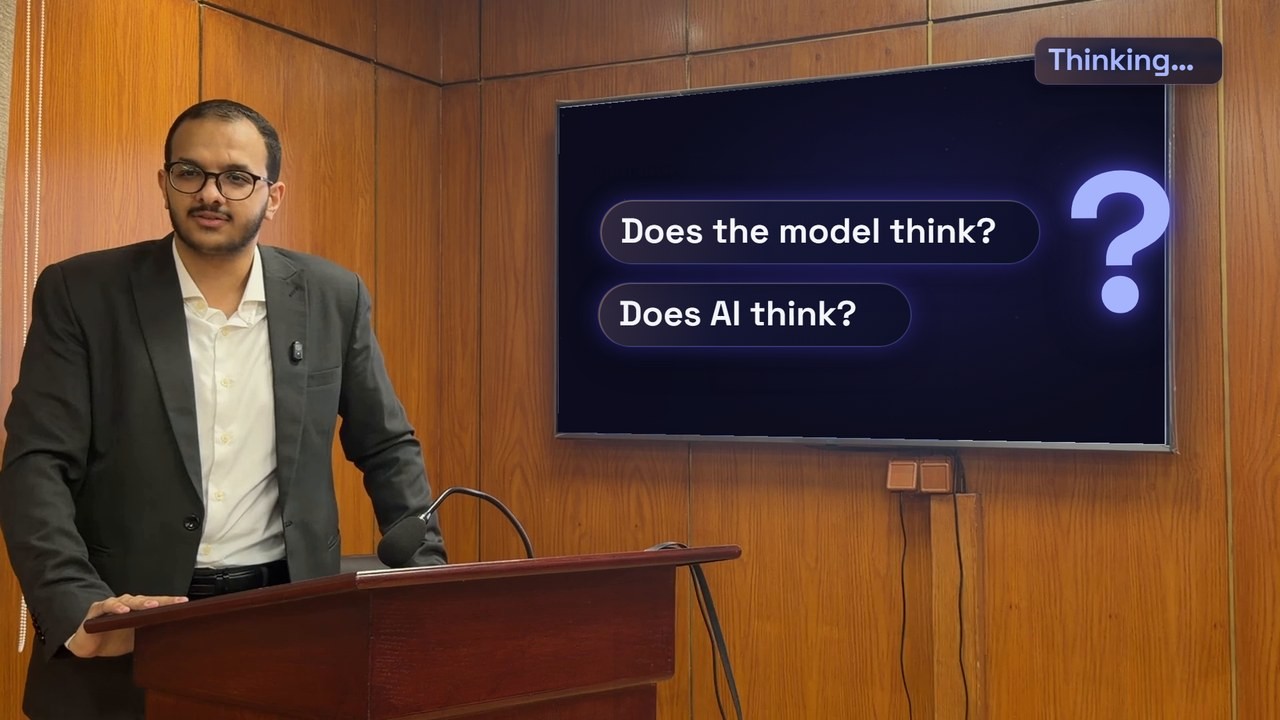
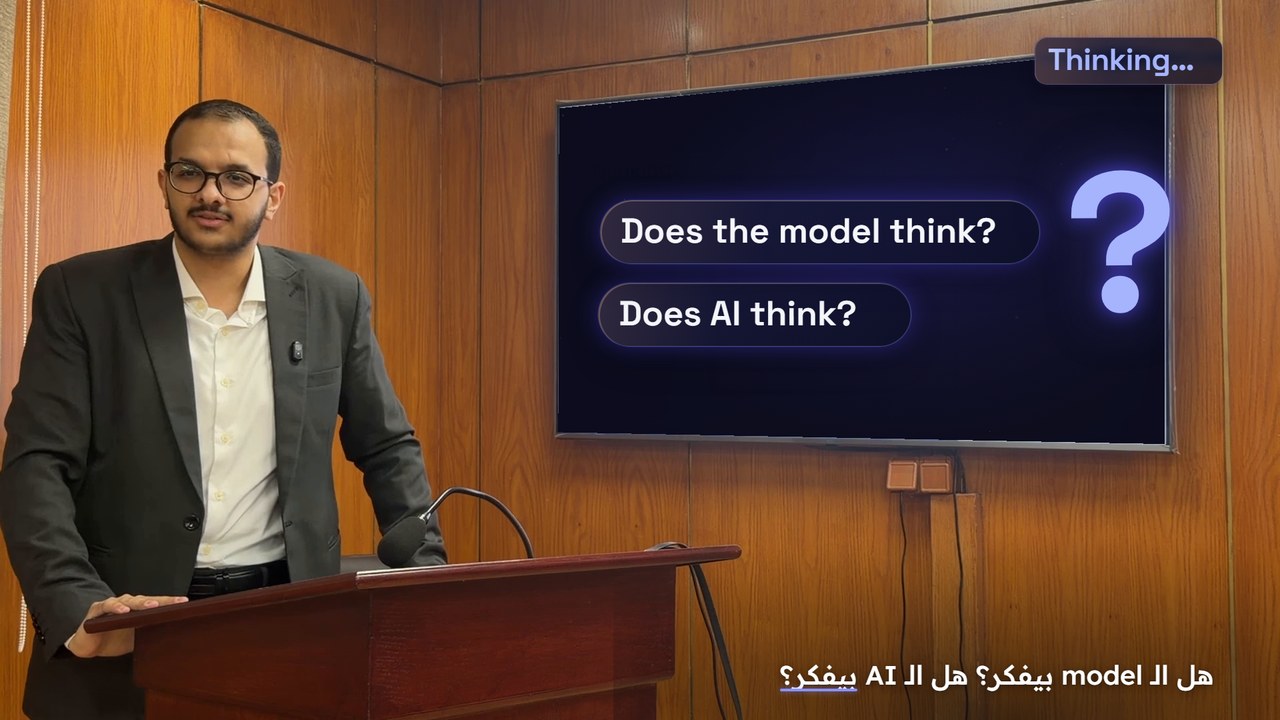
<Title text="Thinking…" at={1.79} /> <Question text="Does the model think?" at={3.71} /> <Question text="Does AI think?" at={4.61} />
3Captions at the bottom, timed to my voice
<MotionCaptions words={transcript} />
1920 × 1080  ·  empty
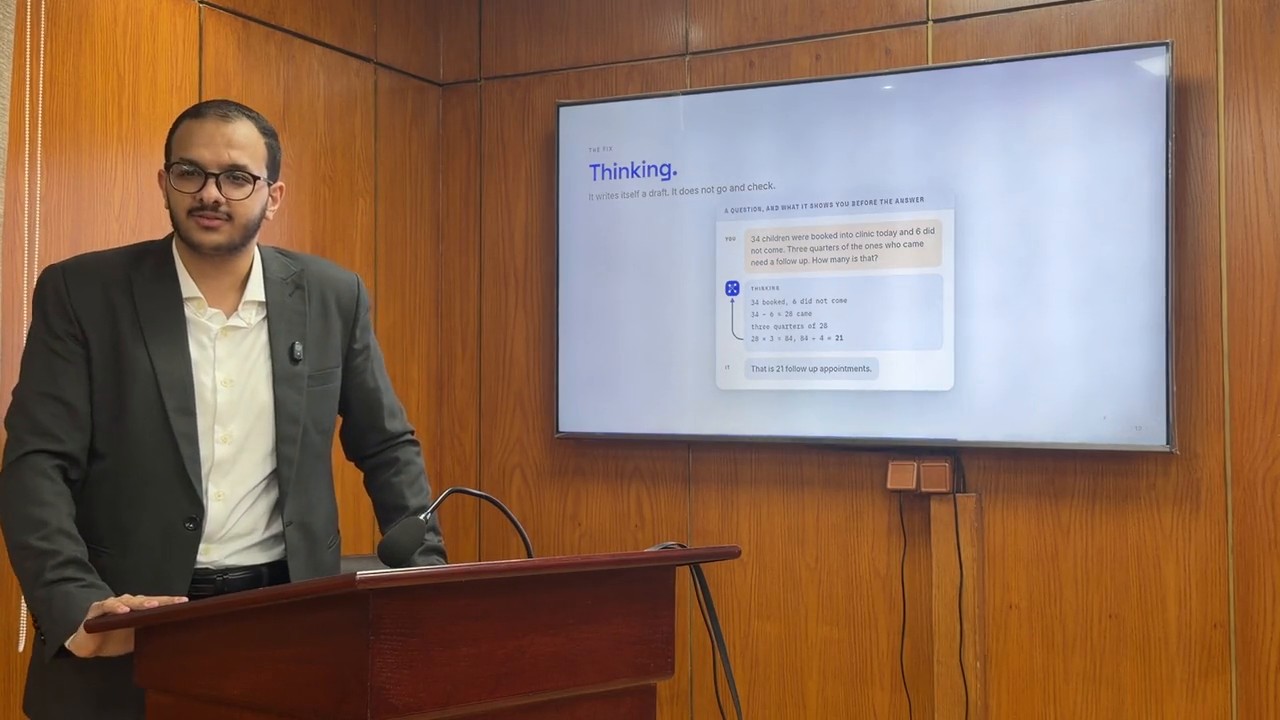
1 2 3 The frame it renders
LectureMotion (Remotion 4.0), written for this lecture by a Claude Opus 5.5 agent, 25 Sep 2026: a simplified excerpt. The frame at 5.4 s: my raw clip, then the render without and with its captions.
Code  ·  how the work feels

You talk. It writes.
You watch.

Code  ·  Remotion Studio

The film, its timeline,
and where each word lives.

01The timelineevery second of the film, and the playhead
02The layersmy footage, and my cut-out on top
03A word on screenlives in one line of code q1: 'Does the model think?',
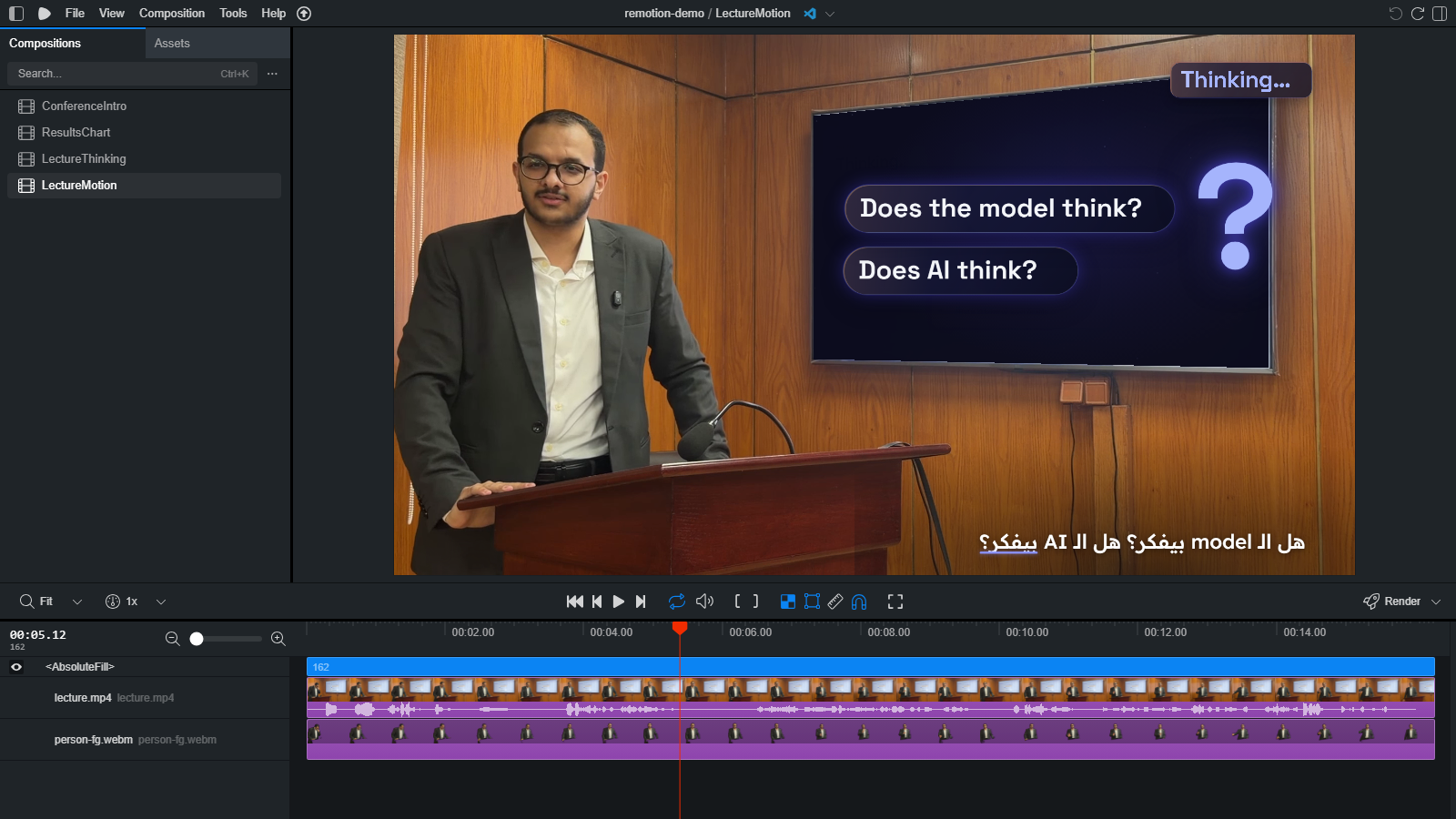
Remotion Studio
1You describe it
2The AI writes code
3You watch it live
4You comment
Remotion Studio (npx remotion studio) with our project at 5.4 s: a live preview that updates each time the code changes. Screenshot, 25 Sep 2026.
Code  ·  the request, again

The same request, written.

What I gave it
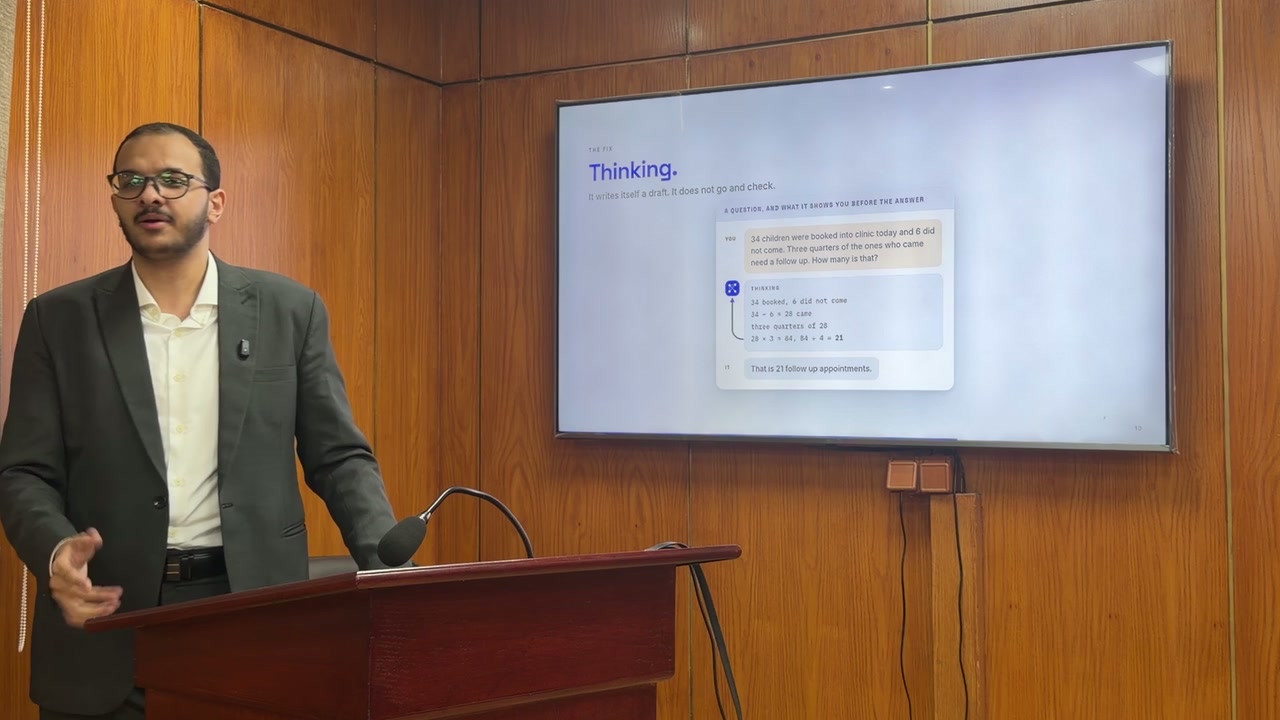
What the code rendered
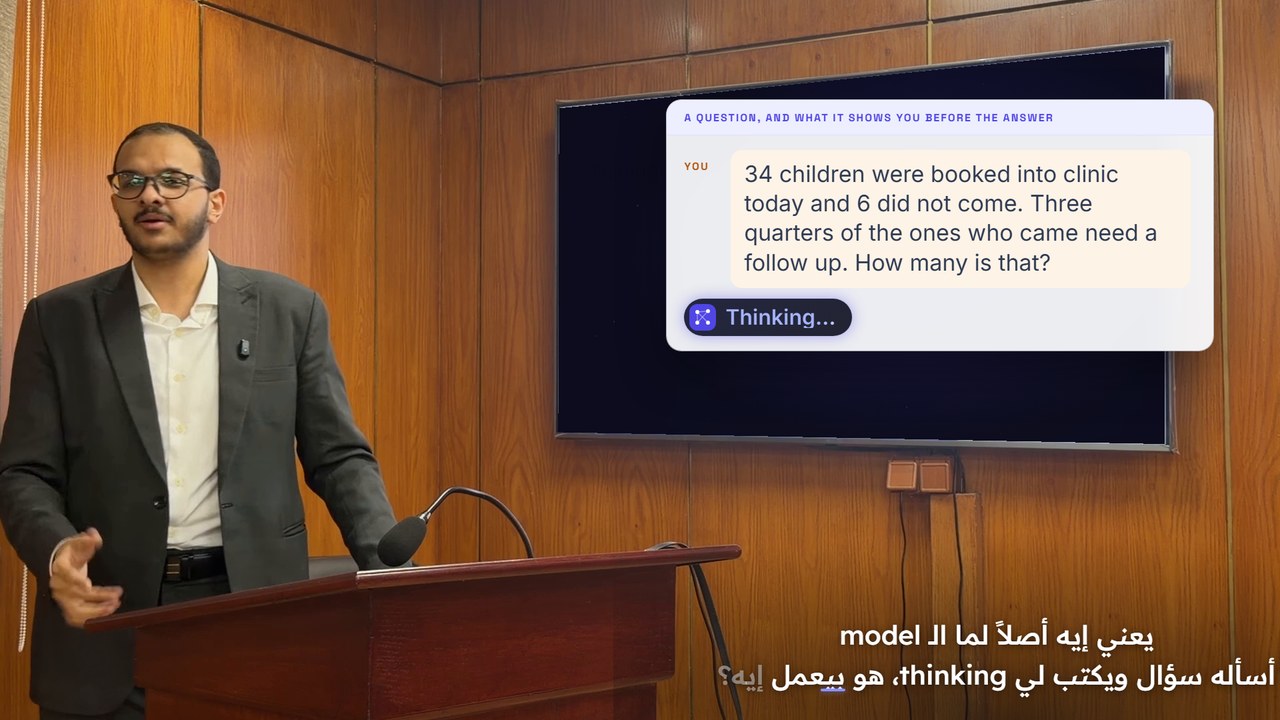
Face · my own pixels
Numbers · exactly mine
Written in code, rendered by Remotion
LectureMotion (Remotion 4.0.518, written by a Claude Opus 5.5 agent), rendered on my PC in 84 s; my cut-out made with Robust Video Matting on my GPU. 25 Sep 2026. Frames at 9.3 s; my slide as filmed at 9.1 s.
Code  ·  one template

One video.
Two languages.

Code  ·  why it is different

Same code, same video.
Every time.
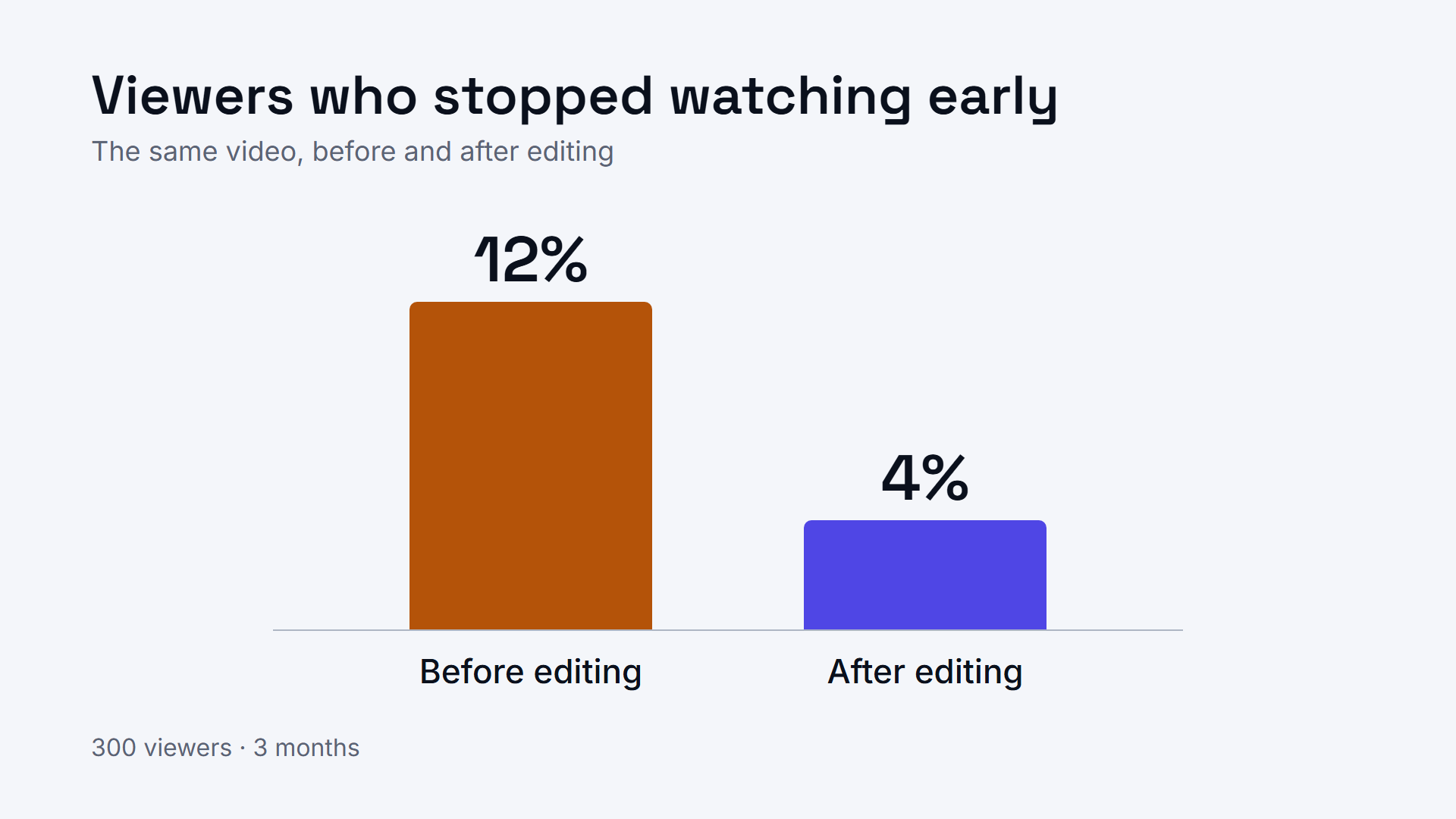
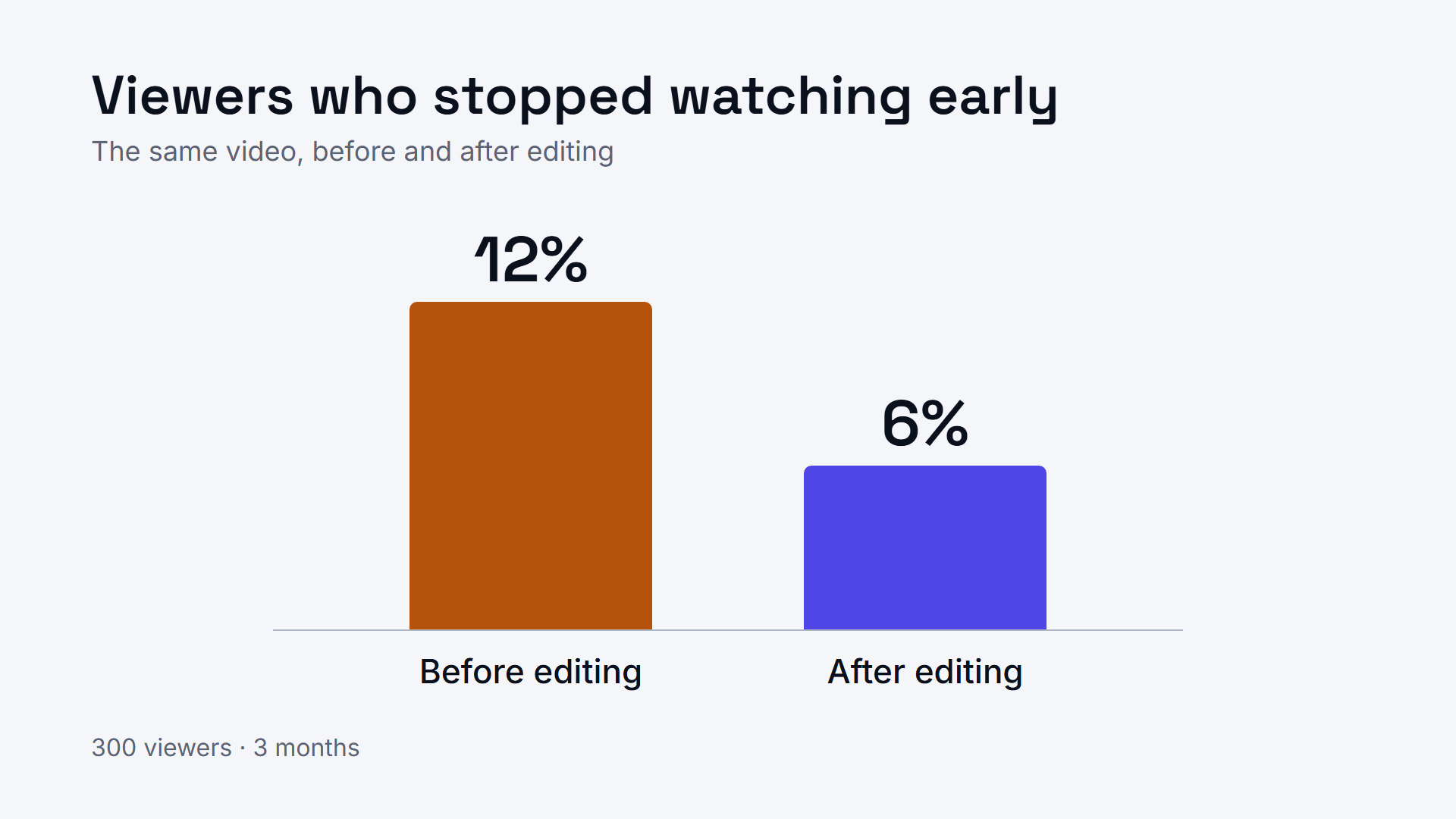
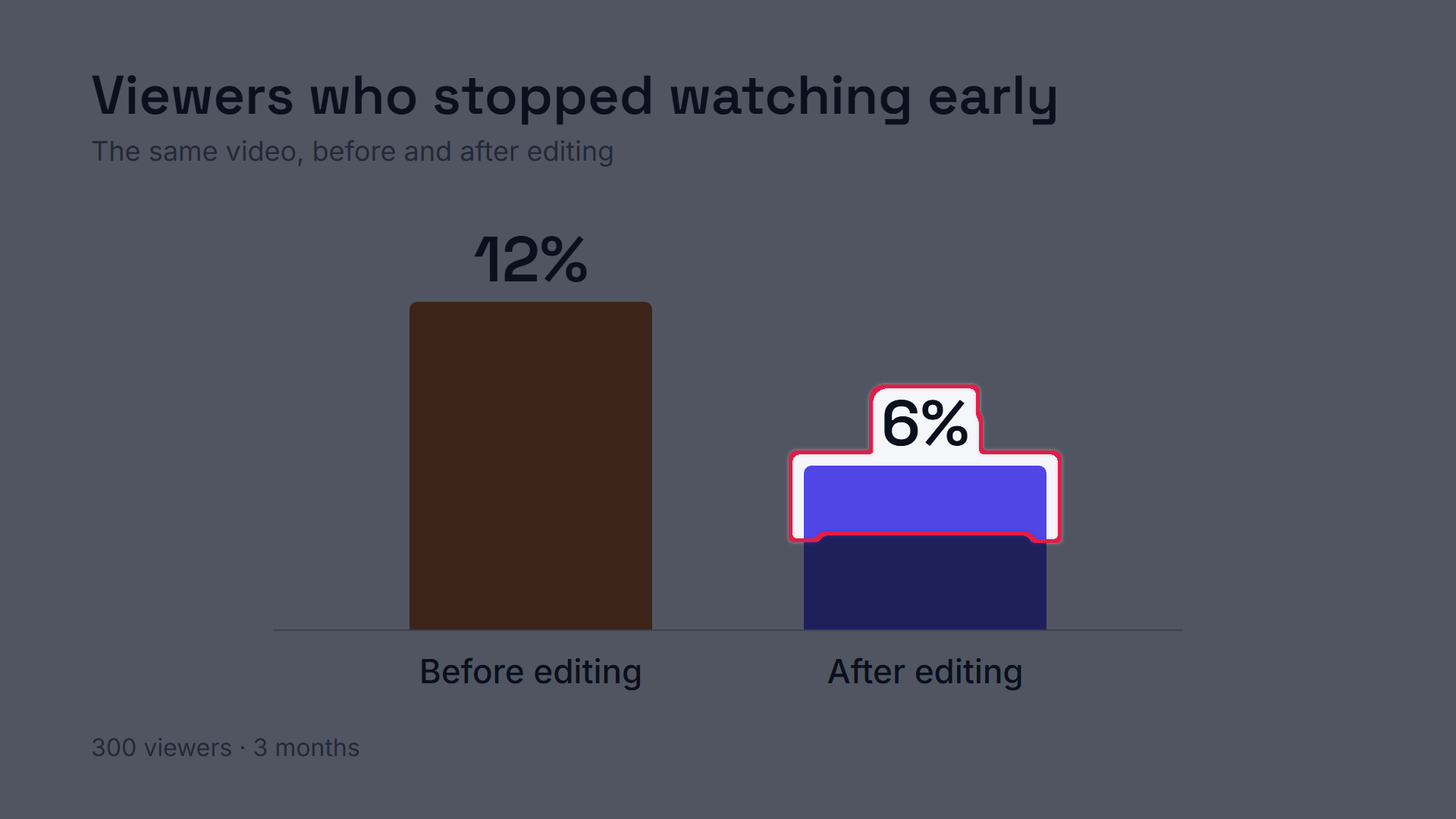
4% → 6%1.3% of the pixels changed: one bar and its label
English
01The chart, rendered
02One number changed
03Exactly that, every time
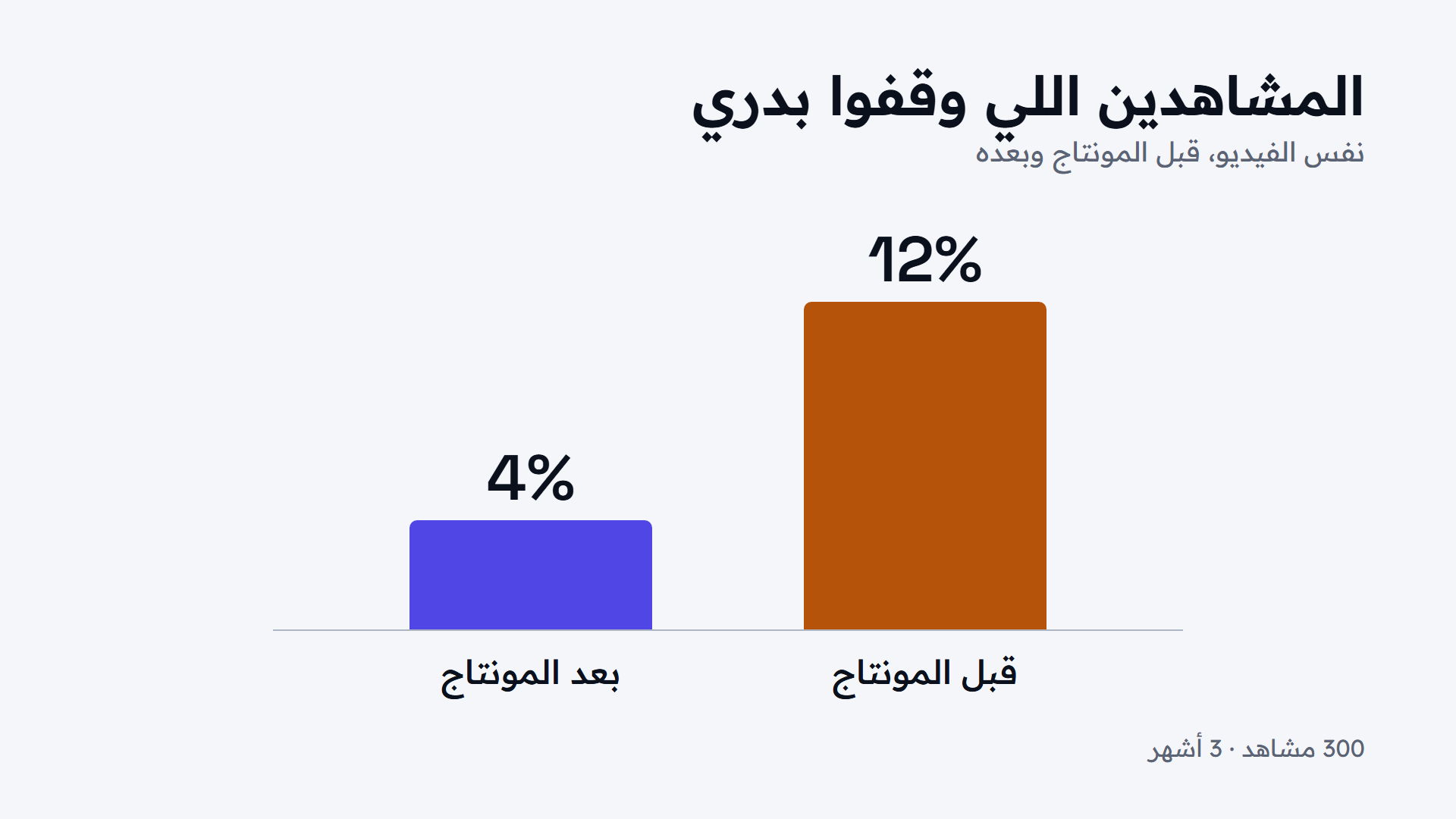
Arabic
lang: 'en' lang: 'ar'
Renders of one Remotion file, Sep 2026: one number changed, then only the language. Same code, same frames (remotion.dev). The numbers are made up.
Code  ·  for your own videos

Where you would
use it.

A lecture video
A conference talk intro
Short social clips
An animated explainer
Back to the map

So we look at methods,
not names.

Generate draws every pixel
Transform redraws your footage RunwayLuma
Assist helps you edit
Operate edits for you
Code writes the video Remotion
inside your editor  ·  not today
the model draws every pixelyour own pixels, placed
Examples in each field, from each maker’s own pages, September 2026.
Chapter four

Together

Together  ·  head to head

Each one wins
somewhere different.

Generatea prompt, then a clip
Codethe AI writes code, then it renders
Faster Minutes Slower: rounds of review
Easier to start Type one sentence Harder: several setup steps
Looks like real footage Yes, even shots you can’t film No: graphics and animation
Longer videos Seconds per clip Minutes, in one piece
Cheaper ~$6 a minute, every try ~$1 a video, less with every reuse
Easier to edit Every change redraws it all Change one thing, nothing else moves
Your next video, same style Starts again from zero; the look drifts Reuses your template: fast and cheap
Exact faces and numbers They drift Exactly as you gave them
Prices checked 25 Sep 2026: the Gemini API is ~$0.10 a second, so ~$6 a minute; Code: ~$1 for our whole video on a $20 Claude plan, my estimate.
Together  ·  the bill

What it actually
costs.

Generateper minute, every try
~$3a try, from a $20 plan (Google AI Pro)
  • $4 to $13 a try on Higgsfield, similar models ($29 plan)
  • ~$6 a try on Google’s API
  • A $20 plan covers ~6 minutes a month
  • Every new try costs again
Codeour whole video
~$1our whole video, style included, from a $20 plan (~20% of one week’s usage)
  • Every video after that reuses the same style: even less
  • Every change re-renders free on your own computer
  • Remotion itself is free for one person
Generate: Flow, Higgsfield and Gemini API prices, 25 Sep 2026. Code: our own usage on a $20 Claude plan (estimate).
Together  ·  one question

Before you pick a tool,
ask if the frame must be true.

It must be true

Code it,
or use your real footage.

It need not be

Generate it,
or transform your footage.

Together  ·  one real video

The right tool
in the right place.
FilmedMy footagemy own pixels and voice

Generate3 B-roll clipsmade in the Gemini app
CodeCaptions, graphicsand the sound effects
Remotionthe film’s own timeline
Assembled in Remotion
My lecture, 16.3 s. B-roll: 3 clips from the Gemini app, 25 Sep 2026. Captions, graphics and sound effects: code. Assembled in Remotion; the timeline is the film’s own.
Chapter five

One real film

One real film  ·  Klaro, 19 September 2026

The film.

Klaro  ·  2 min 8 sClick to play, with sound
Klaro demo v3, English, 160 s, rendered 19 Sep 2026 with Remotion 4.0.518 and Claude Code. Cut to my own script, word for word. Played at 1.25x.
Three lines to keep

Generate what may be imagined.

Transform what may change.

Code what must be exact.

Remotion  ·  starting today

How to start.

1Open an AI agent
Claude Code ChatGPT / Codex Antigravity or any agent on your computer
2Install the skill

Install the Remotion skill.

it runs› npx skills add remotion-dev/skills
needs Node.js
3Give it a source
your clip
or
from scratch
4Design first. Render later.
Colour
TypeAa
Motion
Same look,
every video.
A tip  ·  how I work
One orchestratorplans and hands out the work
Design system
Footage and resources
Sound effects
Voice-over
Remotionedit and render

Each helper keeps
a small context.

Remotion docs, “Agent Skills”: npx skills add remotion-dev/skills, for agents like Claude Code, Codex, Kimi Code or Cursor; Node.js needed. The install line is also on the lecture page.
Take it home

All the tools we used,
behind one QR code.

Transcriptiona time on every word; read the Arabic yourself
Veo / Omnigenerate a clip, or transform yours
Remotionthe video, written in code
ElevenLabs / Fish Audioa voice for the script
OpenRoutermany models, one account
maslooh.com/lectures/ai-video-editing every link, the downloads, the Remotion install line
Tools as we used them for this lecture, checked 25 Sep 2026 on each maker’s own pages. Word times on Egyptian Arabic: check them yourself.
Part two

AI in Research &
Data Collection

OMAR ASKAR  ·  27 SEPTEMBER 2026
A post on X  ·  July 2024

Someone found this
in a published paper.

Morgan Pfiffner@MorganPfiffner

I found another AI-generated garbage diagram in a scientific journal.

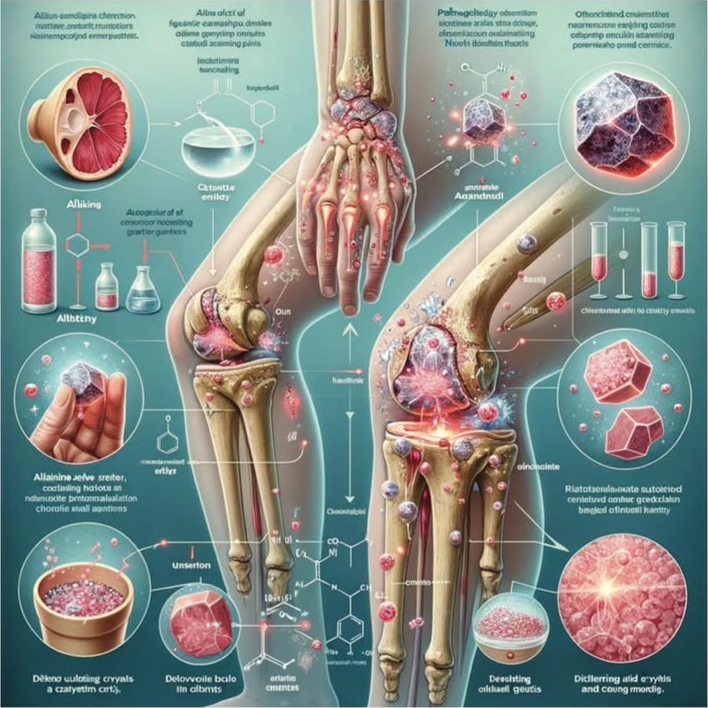
It’s entirely gibberish and features anatomically incorrect limbs with too many bones.

ncbi.nlm.nih.gov/pmc/articles/P…

Jul 3, 20244182.1K7.2K1.1M
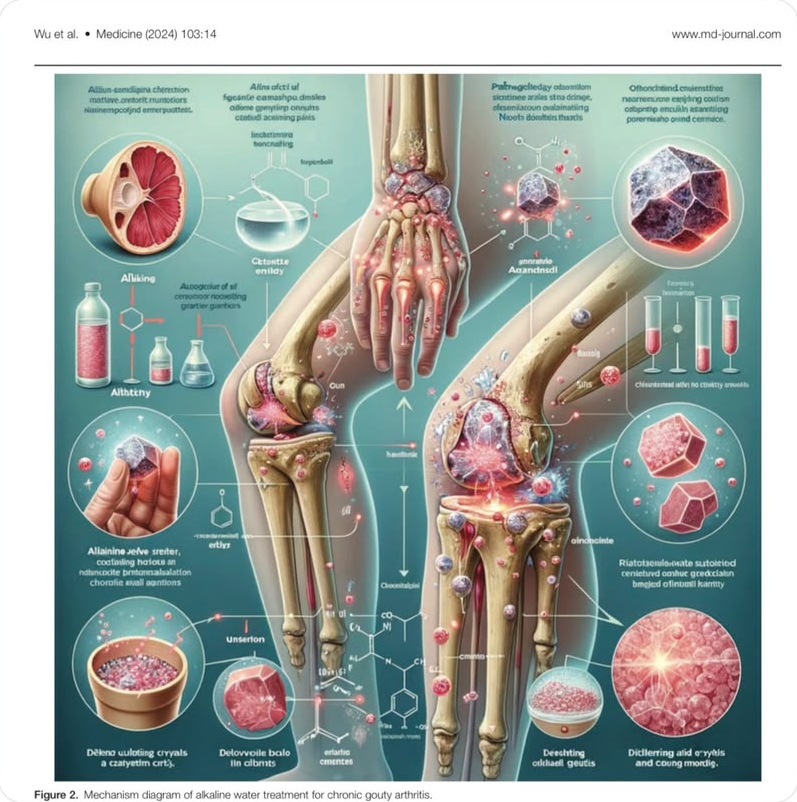
Thigh: 2 bonesthe femur is one bone
Lower leg: 3 bonestibia and fibula are two
Gibberish labelsletters that spell nothing
The paper  ·  Medicine, 2024

It looked right.
It was wrong.

Medicine  ·  103(14): e37589  ·  5 April 2024
Assessment of the efficacy of alkaline water in conjunction with conventional medication for the treatment of chronic gouty arthritis: A randomized controlled study
Wu Y, Pang S, Guo J, Yang J, Ou R
Peer reviewedDiagrams made with ChatGPTAI help with the text
Retracted
5 Apr 2024Published
3 Jul 2024Posted on X
12 Jul 2024Retracted“the integrity of the data and an inaccurate figure”
Morgan Pfiffner on X, 3 Jul 2024. Wu et al., Medicine 2024;103(14):e37589; retraction notice, 12 Jul 2024. ChatGPT diagrams, AI text help: the authors to Retraction Watch, 22 Jul 2024.
Chapter one

The loop

What research actually is

Research is a loop,
not a straight line.

How AI touches each step now

AI drafts or ranks.
Humans decide what counts as evidence.

Before and after

What AI actually
speeds up.

01Ask a questionAsk
02Find what’s already knownFind
03Collect dataCollect
04AnalyzeAnalyze
05Write it upWrite
new questions
01AskDraft research questions · PICO · search ideas
02FindScreen titles and abstracts, rank papers: ASReview, Rayyan-class tools, LLM pilots
03CollectSurvey cleaning · spam flags · sensor filters · de-ID help · synthetic stand-ins
04AnalyzeInterview coding drafts · field extraction to tables · pattern summaries
05WriteOutlines · language edits · figure drafts
FindLiterature screening
BeforeWeeks of manual abstract review
AfterASReview active learning, or Rayyan-style ranking: humans see likely includes first
AnalyzeOpen-text and interview coding
BeforeOne person codes everything
AfterThe model proposes codes; humans dual-code a sample and fix the codebook
AnalyzeStructured extractionweaker than screening: draft only
BeforeOutcomes hand-copied into a spreadsheet
AfterAn LLM drafts into a fixed schema; humans audit the cells
ASReview: open-source active learning for screening (van de Schoot et al., Nat Mach Intell 2021). Rayyan: zero-shot relevance ratings (rayyan.ai). Checked 25 Sep 2026.
Chapter two

Two paths

Path A vs Path B

Two ways to use
the same kind of model.

Path A vs Path B

The difference is the workflow,
not the logo.

Path A  ·  the alkaline water paper  ·  what likely happened

Path A optimizes
for looking finished.

Path B  ·  Anthropic and genetics  ·  structured agentic science

Path B optimizes for
a trail you can audit.

A
Path AGeneral LLM, no verification
Prompt
Pretty output
Paste
Need a figure, fastillustration cost and English friction are high
Ask a general chatbotfor a “scientific diagram”
It looks medical enoughat a glance
No checksno anatomy check, no label check, no source trail
The costretraction, lost trust, wasted attention
Output you can’t trace
B
Path BProfessional workflow with checkpoints
Protocol
Tool with a log
Human check
Keep or reject
A high-level brief“search … for interesting new examples of RTs”
Agents in a harnesstools, sessions, logs: ~950 agents, 21 hours
Mined at scale: 200,000+ → 3,500 → 20reverse transcriptases, new candidates, the most compelling
A candidate surfacesART: array-associated reverse transcriptases
Humans and the labmeaning and validation: all lab work by human scientists
Output you can defend
Retracted
Path A: the corresponding author to Retraction Watch, 22 Jul 2024, and the retraction notice. Path B: Anthropic, Claude discovers a novel enzyme system, 23 Sep 2026 (~950 agents, 21 hours; lab work by human scientists). Marks: each maker’s own.
Four checkpoints

What “professional”
actually means.

Four checkpoints

Miss one, and you are closer
to Path A than you think.

01
Verify

every output that can change a claim or a figure

02
Link

claims to sources: paper, dataset, log, tool and version

03
Keep a human

in the loop for include, exclude and publish decisions

04
Document

the workflow: tool, model, date, seed sample, disagreement rate

Path A
Path B
The trap

Plausible ≠ correct.

Confident tone≠true citation
Clean figure≠correct anatomy
Fast table≠accurate numbers
Looks right
Chapter three

Agentic research

From tool silos to agentic research

Each tool helps one stage.
The project lives in scraps.

From tool silos to agentic research

One harness chains the stages
and stops at human gates.

One pipeline  ·  five stages  ·  human gates between them

This is Path B
at pipeline scale.

The research package

What “done”
looks like.

criteria.docx
export.ris
screened.csv
data.xlsx
final_v2
downloads
old
Path A gapsno shared stateweak audit trail
Harnesschains the stages · keeps shared state · stops at human gates
01Ask
PICO checklist
Protocol locked: PICO, include and exclude
02Find
ASReview
Database export and ranked screening
03Collect
REDCap
REDCap or a schema extraction table
04Analyze
A notebook
Versioned R or Python script
05Write
Zotero
Zotero-linked draft
Already built this wayexamples, not endorsements
Research Harnessagentic-researchSynthScholarLatteReviewotto-SR Anthropic’s biology harness
Stage products, often chained by hand
ElicitUndermindConsensusScite
Triggerfreeze the protocol once
Gate 1Human signs criteria
Gate 2Seed labels and stopping rule
Gate 3Audit a sample of rows
Gate 4Approve numbers and figures
Gate 5Citation and figure check before submit
LogRecord IDsTool and model versionTimestampWho approved
Ask
Find
Collect
Analyze
Write
Written protocol / PICO
Search strategy and dated export
Screening log: includes, excludes, stopping rule
Extraction table with an audited sample
Analysis script, seed, result tables and figures
Draft with a bibliography from the library, no orphan citations
Gate log: who approved what, when
The research packagedefensible
Examples, checked 25 Sep 2026: ResearchHarness, agentic-research, SynthScholar, LatteReview, otto-SR (preprint), Anthropic; Elicit, Undermind, Consensus, Scite: each maker’s own site.
Two lines to keep

Path A is one model with no trail.

Path B is agentic research with a harness.

← → MOVE  ·  F FULL SCREEN
Turn your phone
← Lecture page